Step 5: Autorun Icon
Back to TutorialSelecting the icon
Many autorun's use this feature to make a professional looking icon, while viewing the contents within Windows Explorer. This is accomplished by setting the icon here.
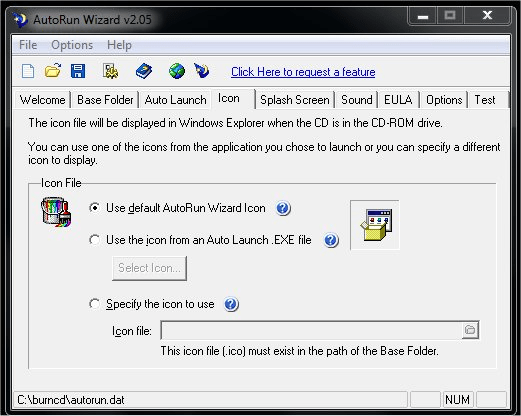
For our tutorial we are not going to use a custom icon. As seen above, we are going to use the icon that is the default icon that comes with AutoRun Studio. If we were not launching an HTML file, we could dynamically grab the icon from the .exe file we are autorunnning. Alternatively you could specify the custom .ico file to appear in the Windows Explorer. For more information on the icon feature please see our Icon Feature.
Next Step
It is fully functional to try
Everything on this page works in the free download. Build and test your first autorun in minutes.