Why am I seeing the Windows 7/Vista AutoPlay Dialog Box?
Since Windows Vista, Windows asks what to do when you insert a disc or connect a drive, instead of running a program automatically. This AutoPlay dialog is a safety feature. For an AutoRun Wizard disc the user picks Run autorun.exe, and your project starts.
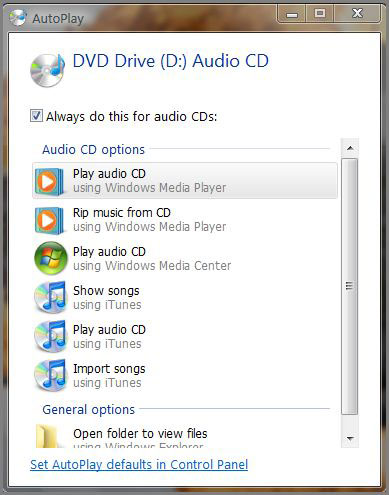
The choices in the dialog depend on what is on the disc and which programs are installed. If the user checks "Always do this," Windows repeats that choice every time and stops asking.
Change or reset the AutoPlay choices
Open the AutoPlay control panel: press Windows key + R, type control /name Microsoft.AutoPlay and press Enter. (On Windows 7 or Vista you can also type autoplay in the Start menu search box.)
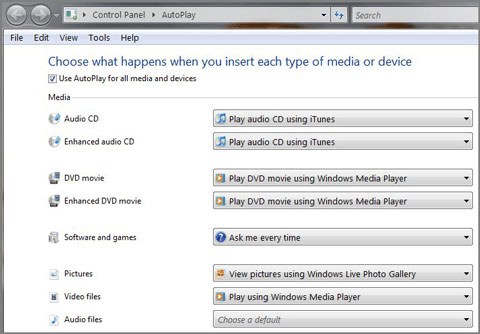
For data discs with a menu, program, PDF or other files, set Software and games to Ask me every time (or Install or run program from your media) and click Save. Reset all defaults at the bottom clears any stuck choice.
On Windows 10 and 11 the dialog became a notification in the corner of the screen, and the settings also appear in the Settings app. See Windows 10 and 11 behavior.